Blacklist Profile Master
The Blacklist Profile Master module is a critical component of our product, designed to empower users to create document profiles with blacklisted keywords. This comprehensive documentation outlines the essential steps within this module to establish profiles that exclude documents containing blacklisted keywords from processing.
The Blacklist Profile Master module allow users to develop document profiles specifically designed to identify and exclude documents containing blacklisted keywords. By implementing these profiles during subtype setup, users can prevent documents with specified keywords from undergoing processing.
Key Features of the Blacklist Profile Master Module
The Blacklist Profile Master Module encompass the following key features:
Profile Establishment: The module enables users to create document profiles with blacklisted keywords.
Keyword Exclusion: Users can establish profiles that exclude documents containing blacklisted keywords from processing.
Accessing Blacklist Profile Master
To access the Blacklist Profile Master page, follow these steps:
In the main menu, under Document Definition, click Blacklist Profile. The Blacklist Profile Master page opens.

Column header descriptions
|
COLUMN NAME |
DESCRIPTION |
|---|---|
|
Profile Name |
Displays the profile name. |
|
Publish Date |
Displays the date on which the blacklisted profile was published. |
|
Status |
Displays the status (active/inactive) of the blacklisted profile. |
Adding a blacklist profile
To add a blacklist profile, follow these steps:
-
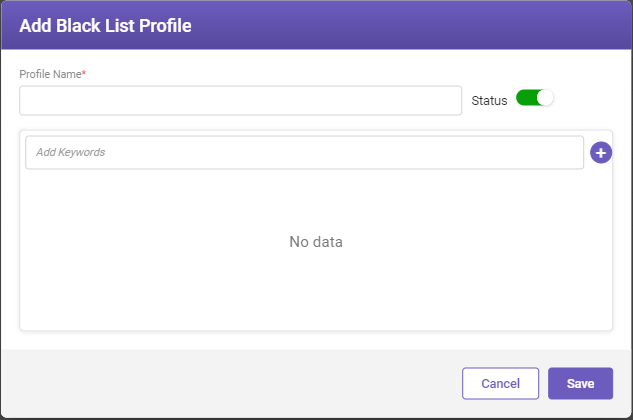
In the top-right corner of the Blacklist Profile Master page , click the Add button. The Add Black List Profile window opens.
-
Fill-in the details based on the following field descriptions.
FIELD
DESCRIPTION
Profile Name*
Enter a profile name.
Status
Enable the toggle switch to make the profile available for blacklisting.
Note
Active profiles are available on the subtype ontology page.
Add Keywords
Enter the keyword name and click
 to add it. Multiple keywords can be added.
* Mandatory fields
-
Click Save to save the profile.
Editing a blacklist profile
To edit a blacklist profile, follow these steps:
-
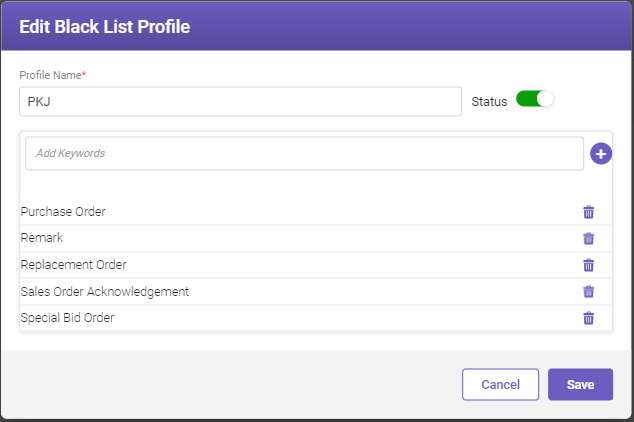
On the Blacklist Profile Master page, select the required profile whose details you need to modify, and click the Edit button. The Edit Black List Profile page opens.

-
Modify the necessary details according to your requirements and then click Save.
Note:
To delete any keyword, click  corresponding to the keyword.